
Guide · Safety
Find the posts you hid
Every post you hid is kept on one page, Hidden posts, under Settings. Tap Show again to bring one back where it was.
Hiding a post takes it off your screen and nobody else’s. CommonYard keeps a list of everything you hid, so you can change your mind.
Hide a post
Tap the post’s three dots (•••) and tap Hide this post — or, on a clip, press and hold and tap Not interested. It goes at once, and a note at the bottom of the screen has a Hidden posts button that opens the list.
Bring one back
- Tap YOU on the bar, then the gear at the top right for Settings.
- Open Help & legal and tap Hidden posts.
- Find the post — newest first — and tap Show again.
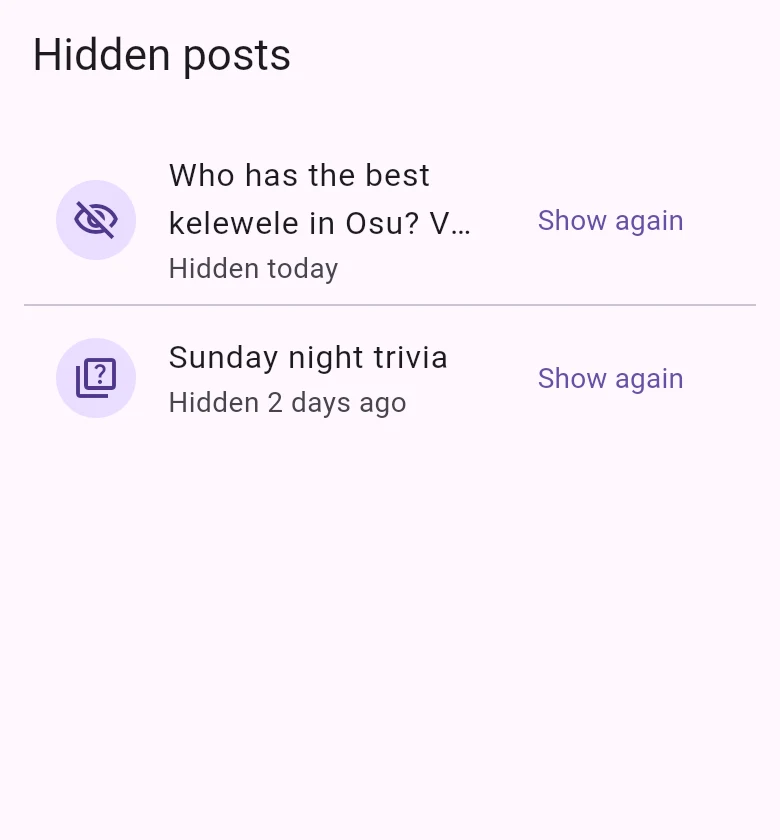
It’s back where it was, for you.
Good to know
- Only you know you hid something. Nobody is told.
- Hiding is for one post. To stop seeing everything from someone, block them; to stop the notifications from a yard, mute it. See Stay safe on CommonYard.