
Guide · Safety
Stay safe on CommonYard
Report, block, hide and mute — what each one does, who finds out, where to undo it, and how your petition signature is kept private.
Most of this starts from the three dots (•••) on a post or a reply.
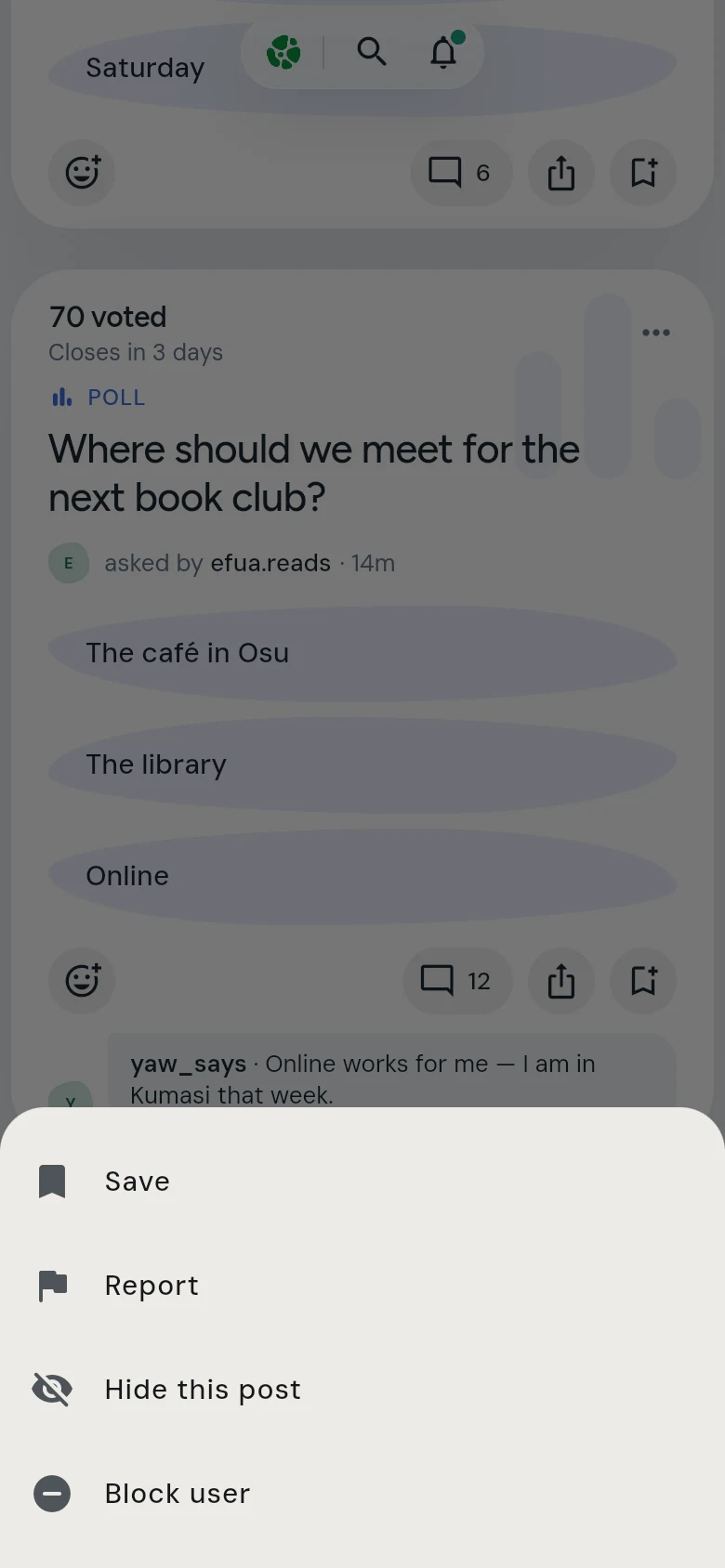
Report
Tap •••, then Report, and pick a reason. Only the people who run CommonYard see this. They are not told who reported them.
Block someone
Tap •••, then Block user. Their posts, replies and messages go from every room, and they can no longer reach you with a notification. They are not told that you blocked them. To unblock someone, open Settings (the gear on your profile), then Help & legal, then Blocked users.
Hide one post
Tap •••, then Hide this post. It disappears for you and you stay in the yard. Only you see that it is gone. Changed your mind? Every post you hid is kept under Hidden posts, with Show again. See Find the posts you hid.
Mute or leave a yard
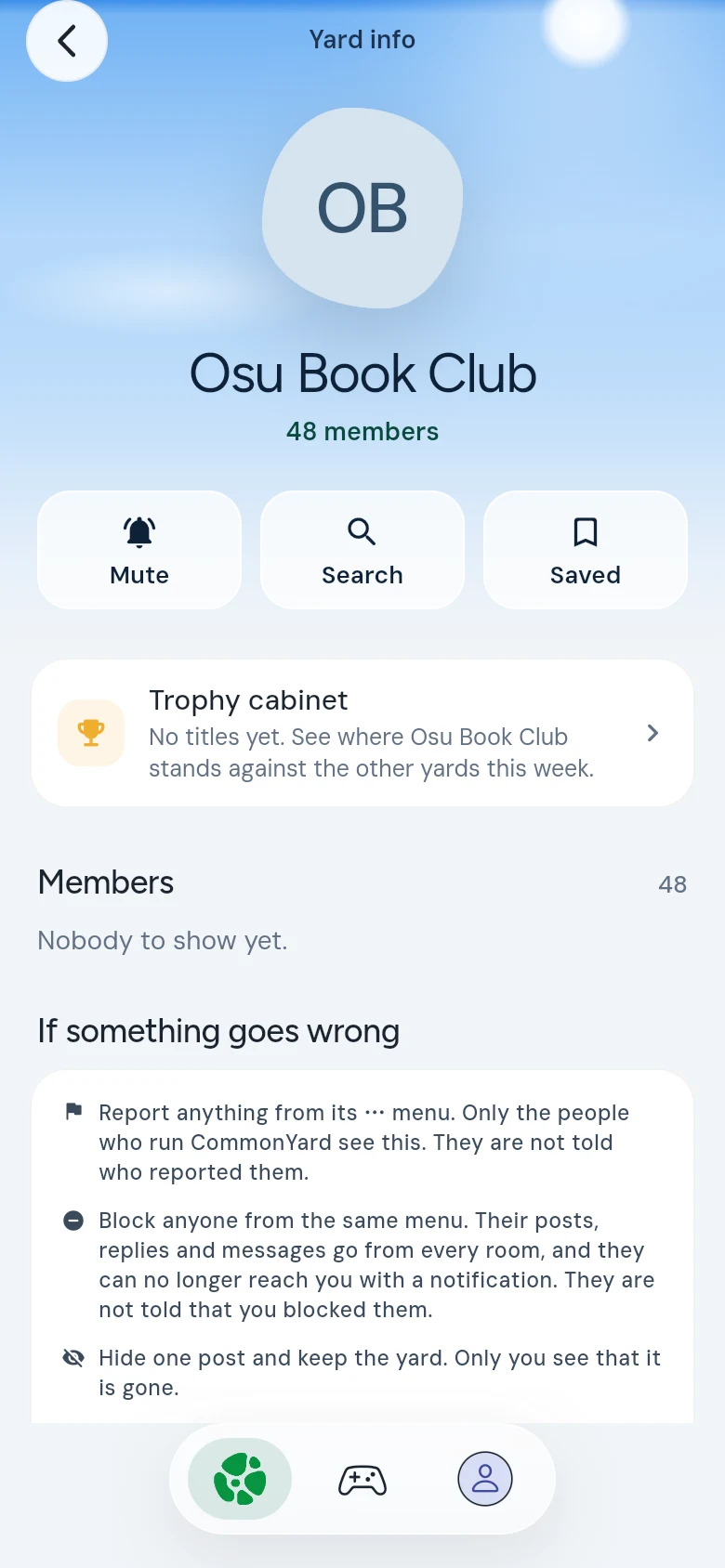
Open the yard and tap its name at the top. Its Yard info page opens.
- Tap Mute to stop the notifications about that yard. Its posts are still there when you visit.
- Tap Leave yard, at the bottom, to leave it.
Your petition signature
Your signature is private. The petition shows how many people signed and how the sides split — never who signed, or which side you chose.
Anonymous posts
Opinions posted anonymously show a mask instead of a name. They can be reported like any other post, and the people who run CommonYard can still act on them. See Post anonymously.
Trolls are roasts, not fights
A troll post has rules that are always on — no hate, no threats, nothing sexual, no private details, nothing made up about real people, and never children. Report a shot that breaks them. See Take a shot at a troll.
If someone is in danger
Contact the police or emergency services first. Then report the post so the people who run CommonYard can act.
Read the community guidelines for what is and isn’t allowed.