
Guide · Your account
Add your birthday
Tell CommonYard your birthday and the day itself brings a greeting on your home, a birthday card with confetti, and a note that morning. It stays private.
When you join CommonYard you’re asked for your date of birth. If you joined before that, or skipped it, you can add it any time.
Steps
- Tap YOU on the bar at the bottom of the screen.
- Tap Add your birthday on your profile. (It’s only there while your birthday is missing.)
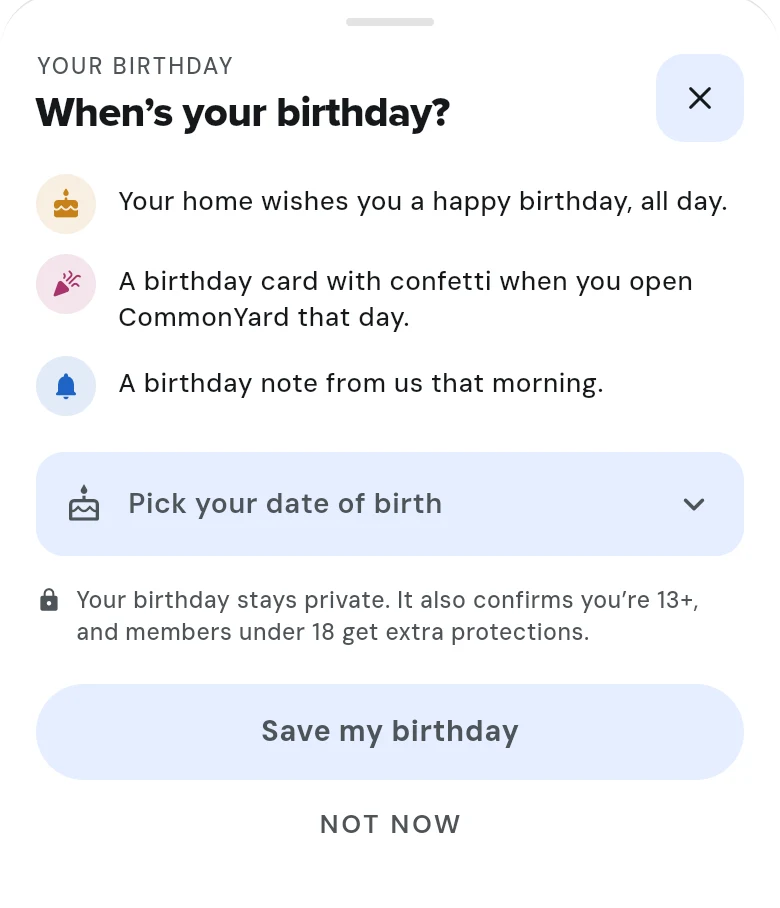
- Tap Pick your date of birth and choose the day.
- Tap Save my birthday.
While your birthday is missing, CommonYard may also ask once when you open your profile. Tap Not now to skip it.
What your birthday brings
- Your home wishes you a happy birthday, all day.
- A birthday card with confetti when you open CommonYard that day.
- A birthday note from CommonYard that morning.
Good to know
- Your birthday stays private. Nobody else sees it.
- It also confirms you are 13 or older, and turns on extra safety protections for members under 18.