
Guide · Getting started
Search CommonYard
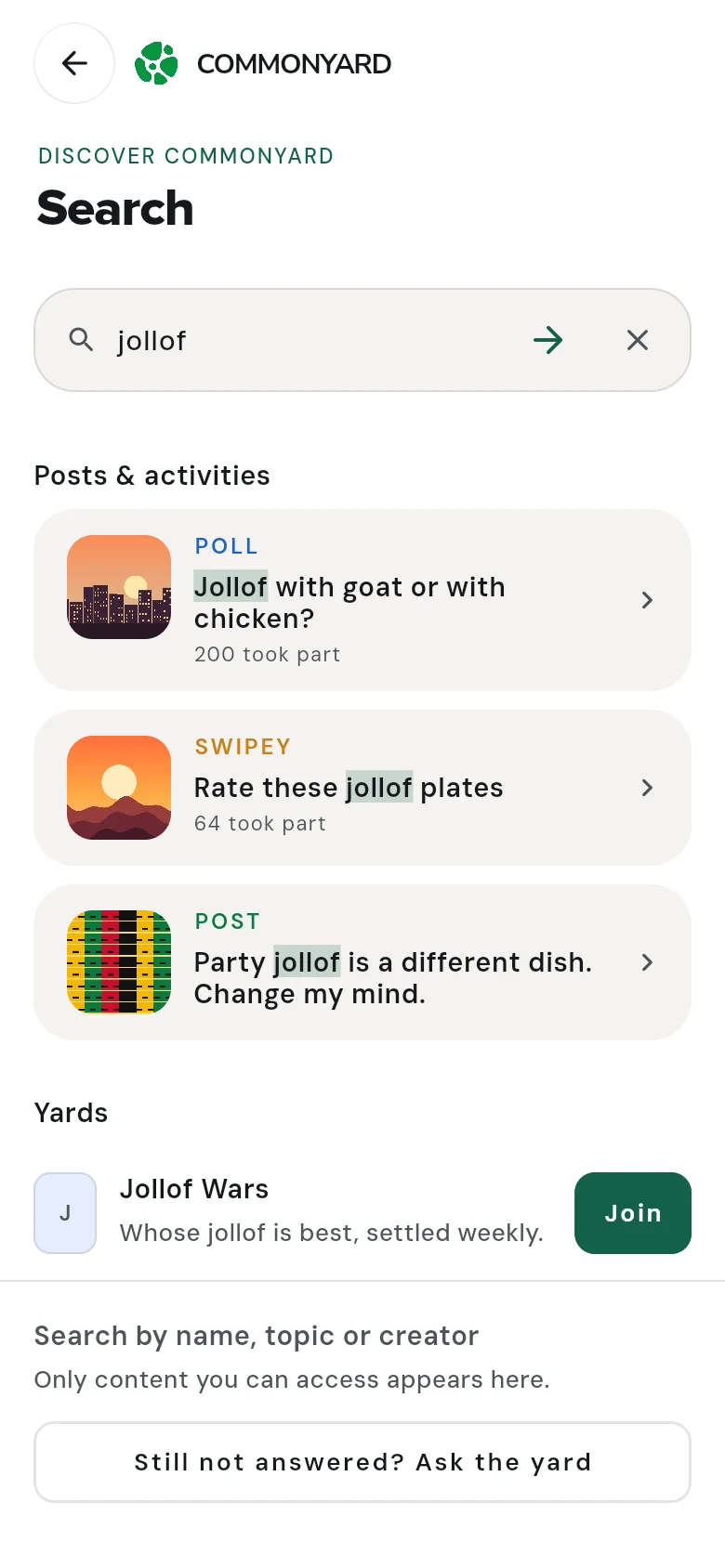
Find posts, polls, petitions, games and yards by name, topic or creator. Results show their pictures, and you don't need the exact words.
Steps
- Tap the magnifying glass at the top of the screen.
- Type what you’re looking for — a topic, a name, a yard, a game — and search.
- Tap a result to open it, or Join beside a yard.
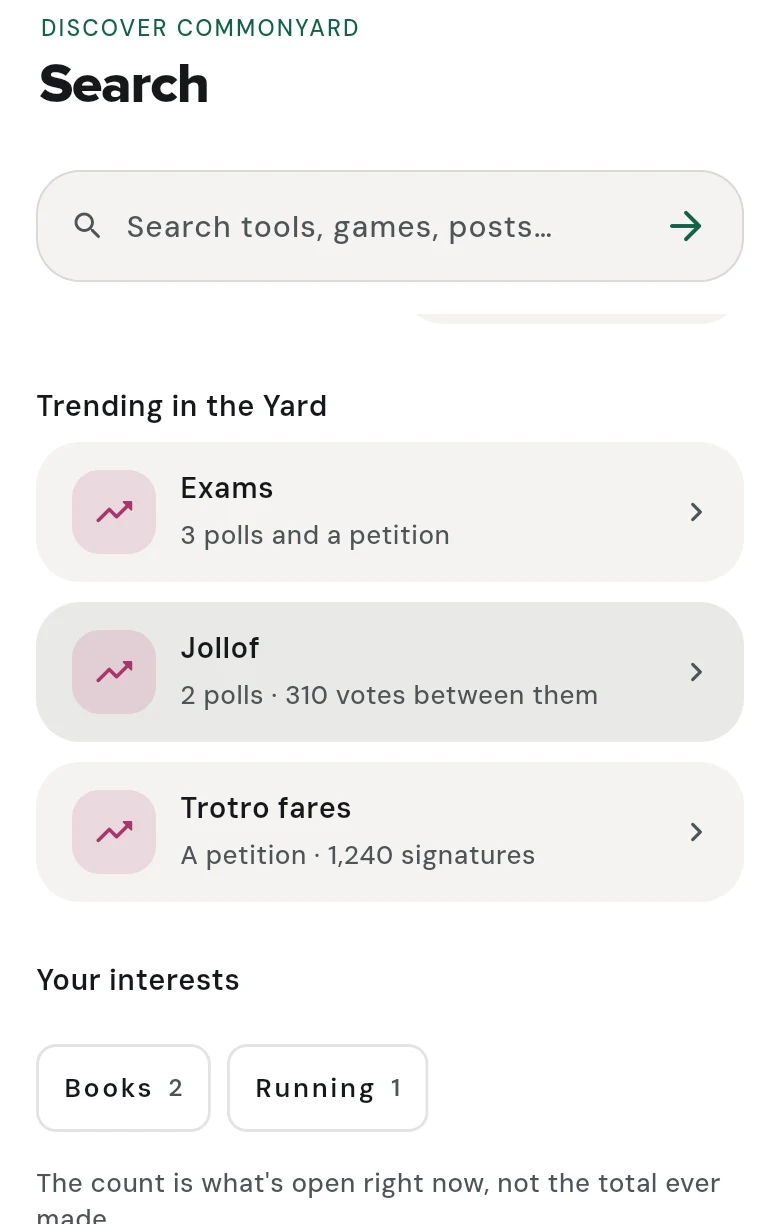
Before you type
- Trending in the Yard — what the Yard is talking about now, and how much of it is still open.
- Your interests — what’s open on the things you’re into.
- Recent searches — tap one to search it again, or forget it.
The results
- Posts & activities — posts, polls, petitions, opinions and swipeys you can still take part in. Each shows its picture: the post’s photo, a swipey’s first card, or the first frame of a video.
- Completed — finished polls and petitions, with how they ended. Often the answer is in the outcome.
- Yards — yards with that name or about that topic. Tap Join to join one from here.
Tap Load more results for more.
You don’t need the exact words
A search finds things with any of the words you typed, best matches first — the ones with the most of your words at the top. Small words like “the” and “is” are left out, and “dresses” finds “dress”.
Good to know
- Inside a yard, the magnifying glass searches that yard. If nothing turns up there, tap LOOK IN EVERY YARD.
- Still not answered? Tap Ask the yard, under the results, to post the question yourself.
- To open a yard you’re in, search its name.