
Guide · Getting started
Turn on notifications
Say yes when CommonYard asks after you join a yard, then choose what you hear about — replies, yards, games, points — and keep the nights quiet.
Notifications tell you when something needs you: a reply to what you said, a challenge from a friend, news from a yard you are in, or a game you asked to be reminded about.
Steps
- Join a yard, or make one. Right after, CommonYard asks whether that yard can reach you on your phone.
- Tap Yes, tell me.
- Your browser or phone asks for permission next. Tap Allow.
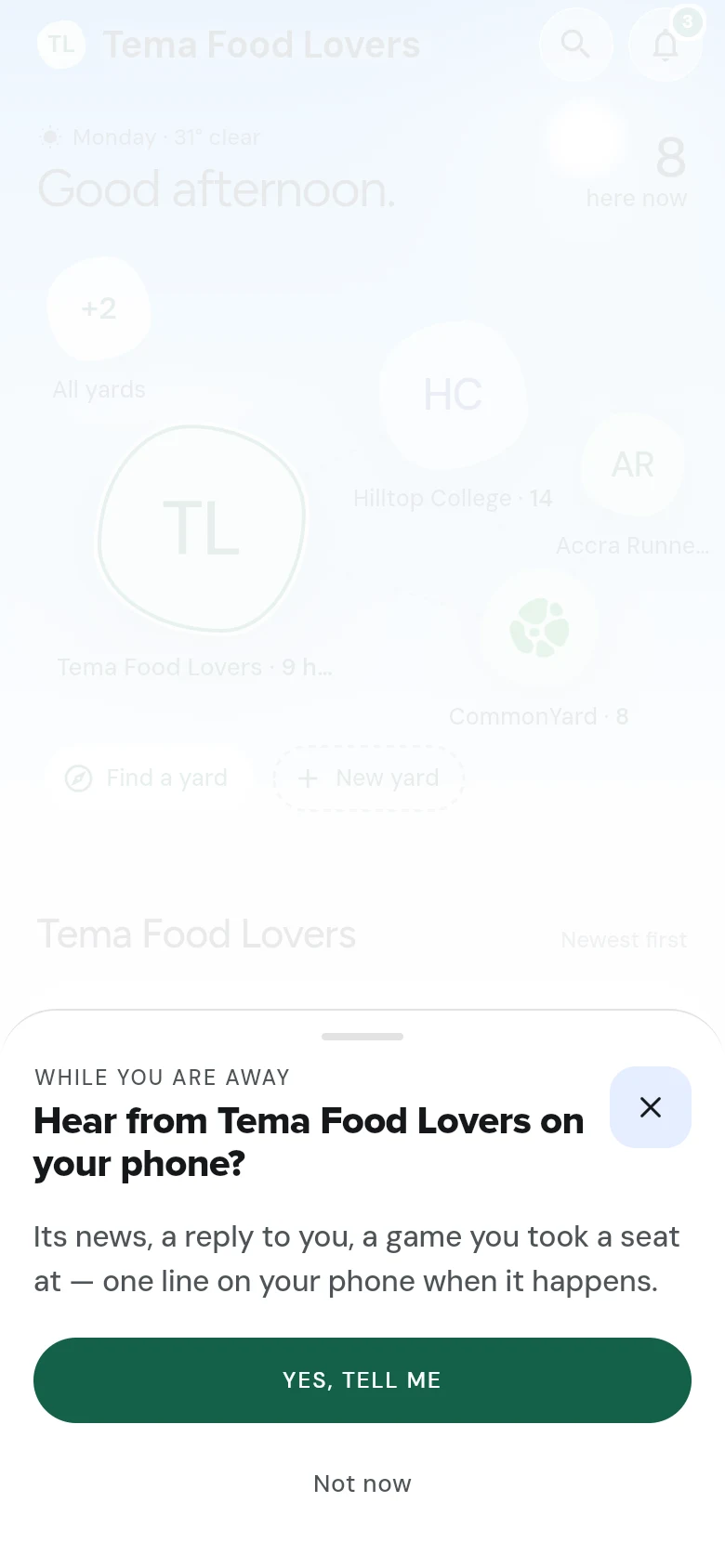
CommonYard never asks the moment you arrive, never in the middle of a game, and at most once a week. It also asks when you tap remind me on a game that hasn’t started yet.
Choose what you hear about
- Tap the bell at the top of the screen, then the gear on your notifications page. (It’s also in Settings, under Profile & account.)
- What you hear about opens.
- Alerts turns notifications on or off on this device. Off, everything still waits on your notifications page.
- Under Tell me about, switch each kind on or off: Replies & mentions, Yards & causes (polls ending, petitions you signed, news in your yards), Games & invites, Points & rewards and CommonYard news.
- Under Quiet hours, switch on Quiet at night, and set From and Until. Alerts in those hours come in silently — no sound, no buzz.
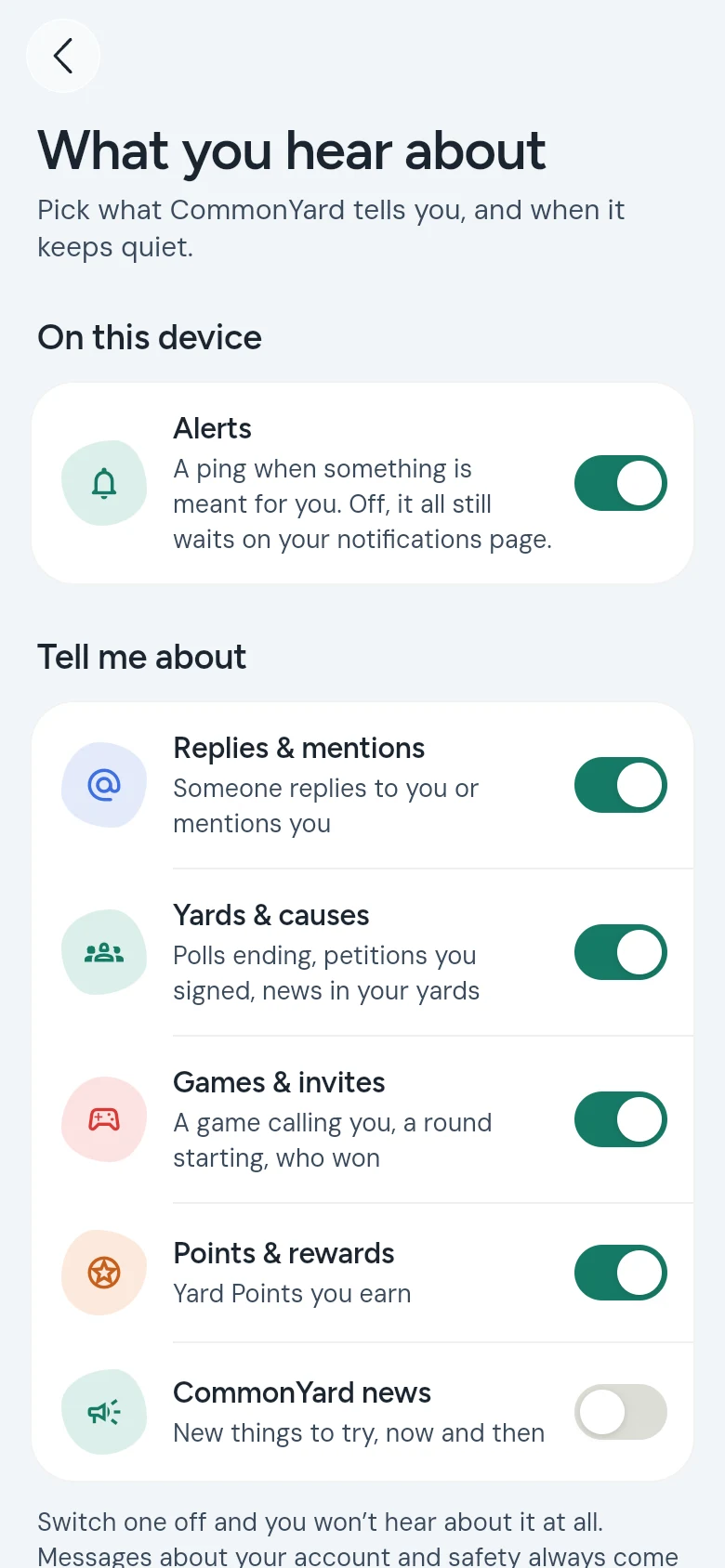
Messages about your account and your safety always come through.
The quick switch
The Notifications switch on your profile — tap YOU — turns them on or off on this device in one tap.
If you blocked them by mistake
Your browser remembers the choice. Open your browser’s site settings for commonyard.app, allow notifications again, then turn on the switch under YOU.
On iPhone
Apple only lets a web app send notifications once it is on your Home Screen. When you join a yard in Safari, CommonYard shows you how: tap Share, then Add to Home Screen, open CommonYard from its new icon, sign in, and turn on Notifications under YOU. See Put CommonYard on your home screen.
Mute a yard
- Open the yard and tap its name at the top.
- Tap Mute.
You still see the yard’s posts and chat; you just stop getting notifications about it. Muting CommonYard itself the same way (tap the name at the top of the whole Yard) turns off every push until you unmute.
Your notifications page
Tap the bell to see everything that came in, newest first. The number on the bell is how many are new; Mark all read clears it.
Points don’t ping you every time
Points you earn are added up and sent as one email and one notification — at most about once a week, at six in the evening, Accra time. A big game win is the exception: you hear about that straight away.