
Guide · Games
Play games on CommonYard
Tap GAMES for four doors — solo games, hosted rounds, team games and the hall of fame — plus your own challenges and the games you're playing.
Tap GAMES — the game pad on the bar at the bottom of the screen. The games page opens with the leaders of the hall of fame and where you stand, then four doors under Go play.
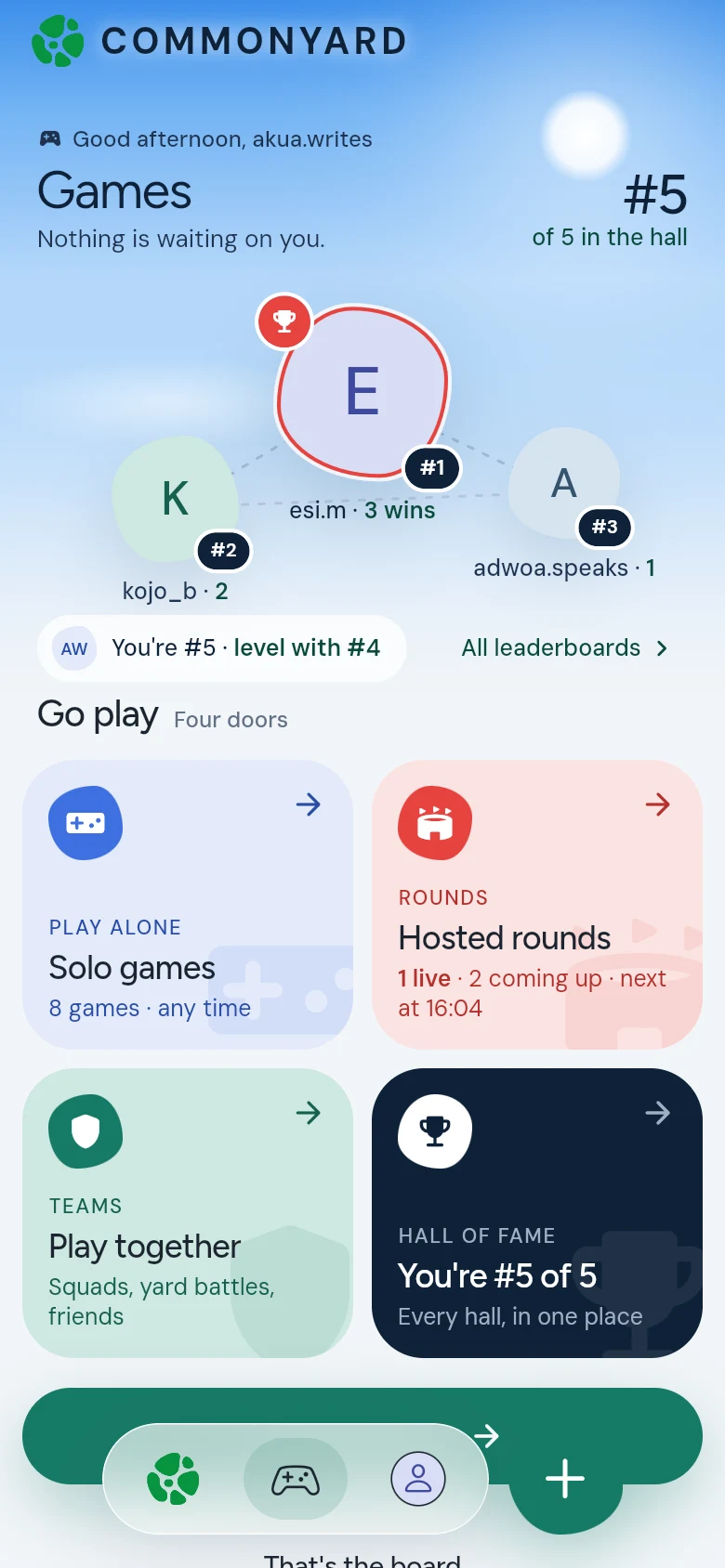
The four doors
- PLAY ALONE — solo games you can play any time: Penalty Flick, Hot Potato, trivia and more. Your best score goes into that game’s hall of fame.
- ROUNDS — hosted rounds you play with other people: the ones on now, the ones coming up, and what’s already been played. Tap one to take a seat.
- TEAMS — play together: Squad Trivia, Troll War between friends and between yards, Guess the Number, and Sasabonsam, where everybody hides and the last one hiding wins.
- HALL OF FAME — every hall of fame in one place, so you can see where you stand. All leaderboards, near the top, opens them too.
Your games
When you have games of your own going, they sit on the games page under Yours, in three tabs:
- Challenges — someone called you out, and it’s your move.
- Playing — your games on right now.
- Played — games you finished, and how they ended.
Start a game
Tap Start a game to set up a round of your own, or to call a friend out. Or tap the round + and choose Play. See Make a game, Play Troll War and Play Guess the Number.
Good to know
- Finishing a game earns 15 points.
- Live games also show up on HOME, so you can jump in from there.
- Inside a yard, GAMES is that yard’s own page. See Your yard’s games and ladder.
- While you’re in a game, CommonYard holds its pop-up banners and never asks you anything. They wait until you’re done.