
Guide · Taking part
Sign a petition
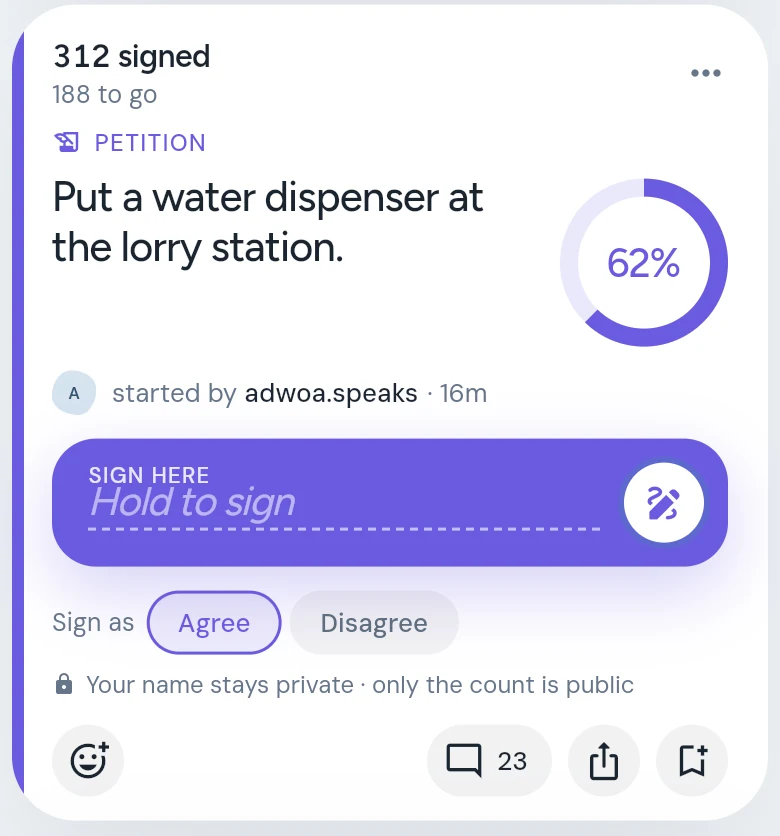
Pick Agree or Disagree under "Sign as", then press and hold the Sign here bar until it fills. Your signature is private.
A petition asks someone to act. On CommonYard you sign by pressing and holding, so a name is never added by an accidental tap.
Steps
- Read what the petition asks for. The ring beside it shows how close it is to its goal, and the top of the card says how many have signed.
- Under Sign as, check your side: Agree is picked for you; tap Disagree if that’s where you stand.
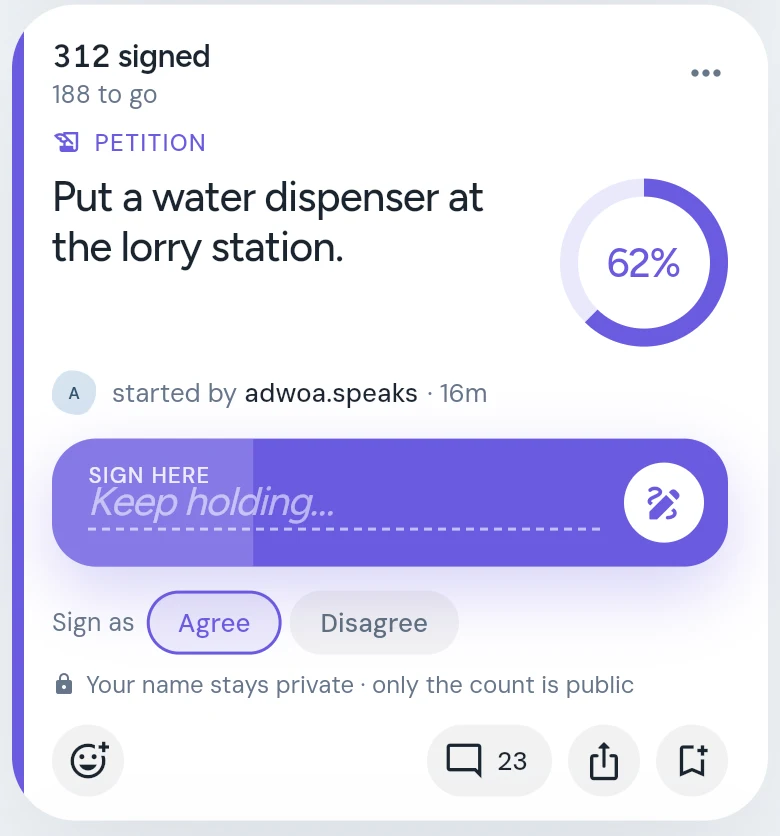
- Press and hold the SIGN HERE bar — it says Hold to sign. It fills up while you hold, and says Keep holding….
- Keep holding until it is full. If you let go early it empties again, and nothing is signed.
- The bar shows you’ve signed, with your place in the count.
Good to know
- Your signature is private. The petition shows how many people signed and how the sides split — never who signed, or which side you chose.
- Disagreeing is a signature too. It counts on the disagree side.
- Choose your side before you hold.
- Signing earns 8 points.
- Want people to sign something of yours? See Start a petition.