
Guide · Taking part
Vote in a poll
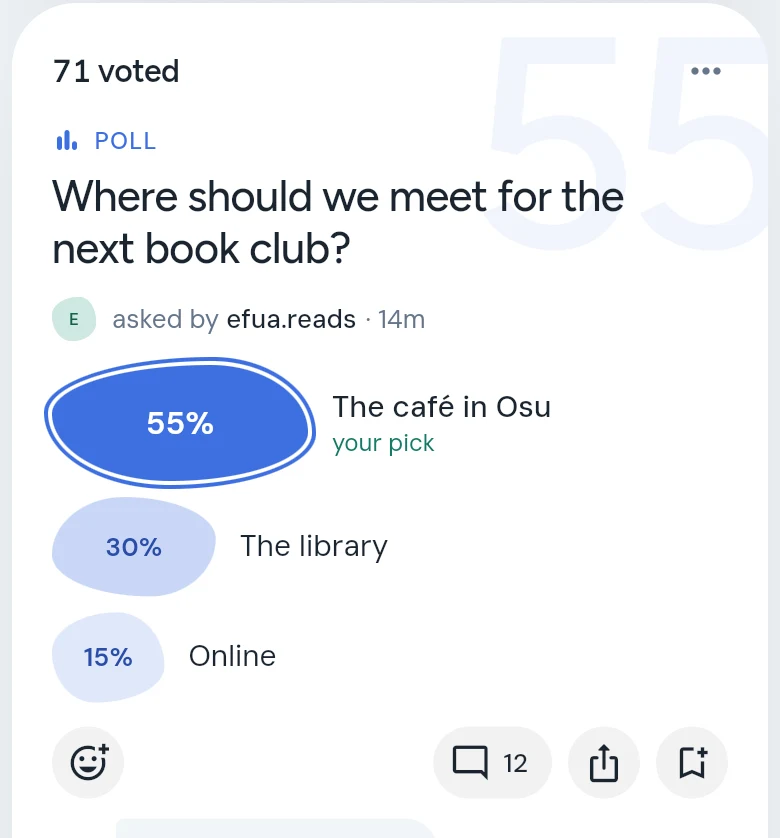
Tap a choice to vote. The choices fill in to show how everyone voted, and the card says when the poll closes.
A poll asks one question with two to four choices. The choices can be words, pictures, or both.

Steps
- Find a poll on HOME, or in one of your yards.
- Tap your choice. On a picture poll, tap the picture.
- Your vote is saved at once, and the choices fill in like a bar chart to show how everyone has voted so far.
When a poll closes
Whoever made the poll decides when it closes: in a day, in three days, in a week, or never. The card tells you — “closes in 3 days”, for example. Once a poll closes it takes no more votes and shows its result.
Good to know
- Voting earns 5 points.
- If you haven’t joined yet, CommonYard keeps your pick while you join, then counts it. See Get started.
- Want to ask your own question? See Make a poll.