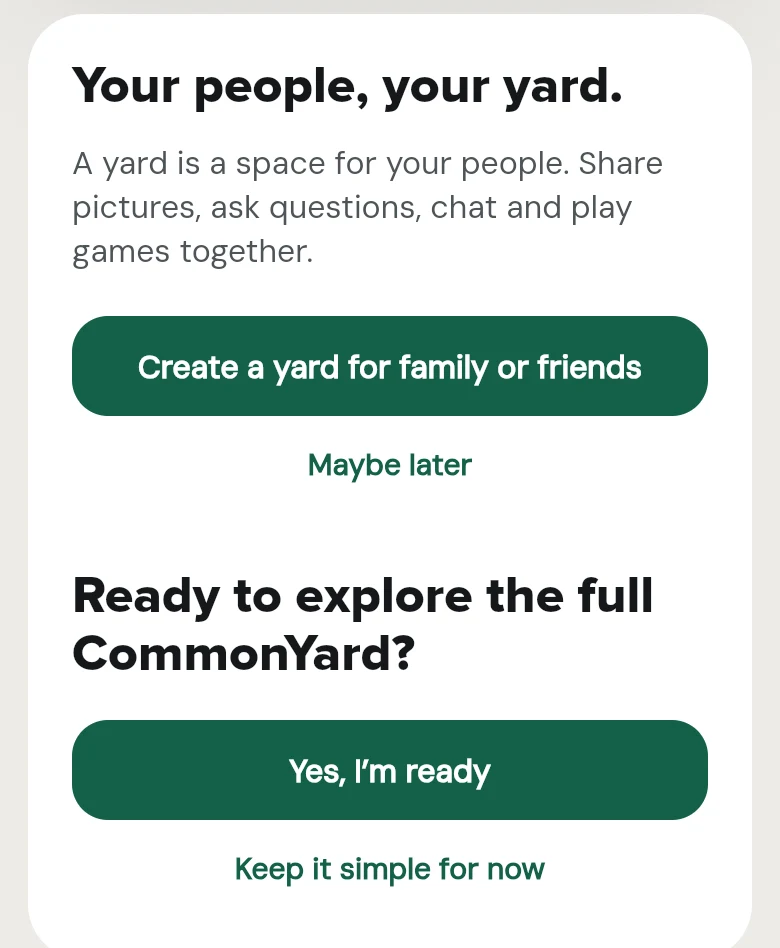
Until you say you are ready, HOME shows a short list of real things to do today, then lets you make a yard and choose when to open the full CommonYard.
CommonYard has a lot on HOME: your yards, posts, games, petitions. To make it easier to find your feet, HOME now starts simple, and you choose when to see everything.
The first thing HOME shows until you are ready for everything.
What’s new
HOME first says Let’s take CommonYard one step at a time. Tap Let’s start.
You get a short list of real things to do today: a poll to vote in, a side to take, a deck to swipe, a petition to read and sign. Each has a line saying what to do, like Tap an option to vote. There is a game to play too.
At the end, Create a yard for family or friends makes a yard for your people. Tap Maybe later to skip it.
Then CommonYard asks Ready to explore the full CommonYard? Tap Yes, I’m ready for the full HOME, with your yards and all the posts. Or tap Keep it simple for now, and come back tomorrow for a few new things to do.
Once you have reached the end, I’m ready also sits at the top of the list.
At the end of today’s list, make a yard or open the full CommonYard.