
Guide · Posting
Make a poll
Ask a question with two to four choices, in words or pictures, and choose when the poll closes.
Steps
- Tap the round + at the bottom of the screen.
- Write your question in the box.
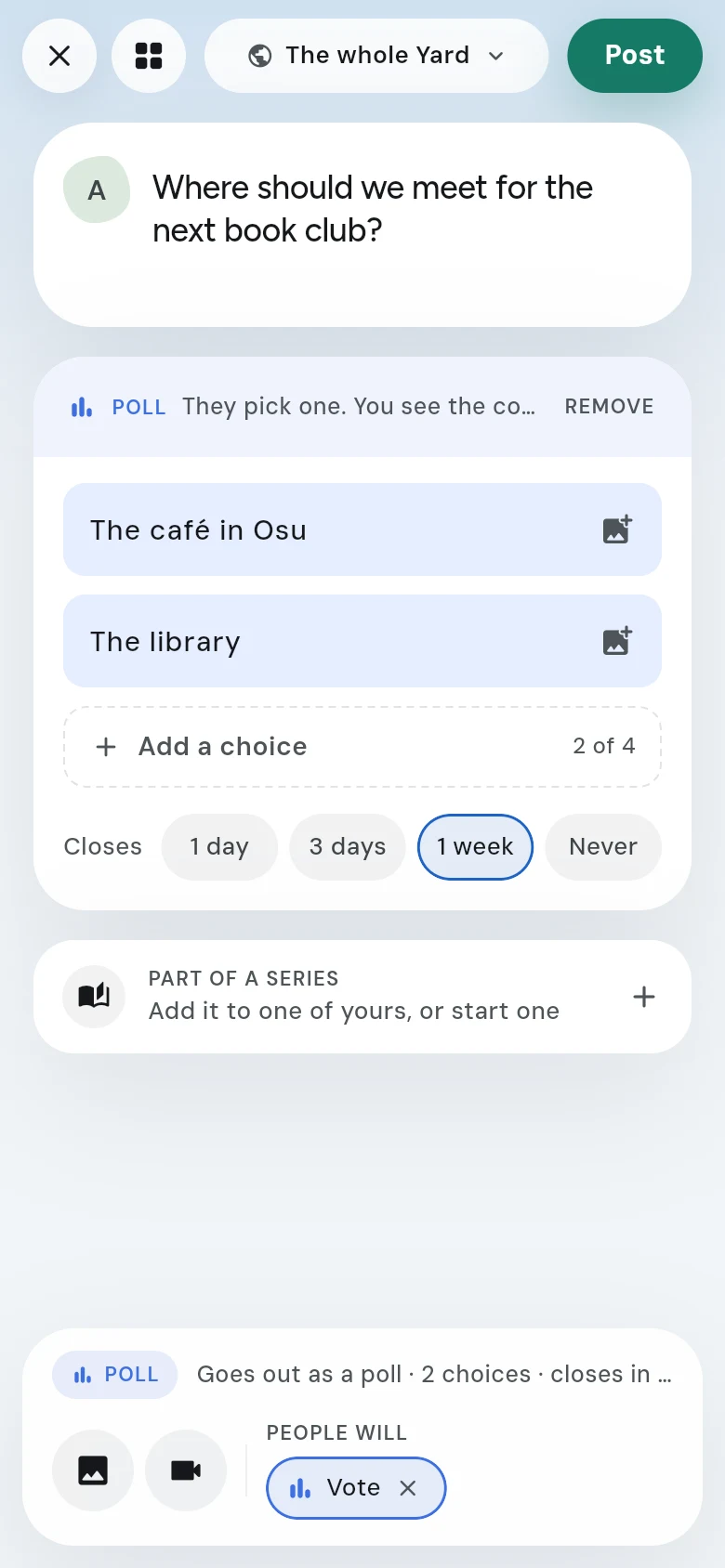
- Under ASK PEOPLE TO, tap Vote. A card for the choices opens.
- Fill in two choices. Tap Add a choice for a third or a fourth. To give a choice a picture, tap the picture button beside it.
- Under Closes, pick 1 day, 3 days, 1 week or Never. A week is picked for you.
- Check the line at the bottom — “Goes out as a poll · 2 choices · closes in a week” — and where it goes, at the top.
- Tap Post.
After you post
The poll goes up with its choices. As votes come in, the choices fill in to show the result, and the card says when it closes.
Changing when it closes
Tap the three dots (•••) on your poll and tap Edit post. Under Move it to, you can close it now, or move its end to 1 day, 3 days, 1 week or never. The choices stay as they are — people have already voted on them.
Good to know
- Check your choices before you post: once people vote, they can’t be changed.
- A poll can go to the whole Yard or to one of your yards — or to several at once. See Post to several yards at once.