
Guide · Yards
Practise school work in a school yard
Every school yard has Practice — questions by level, course and topic, timed or untimed, from 5 to 50 at a time — and a shelf of study materials from the yard's admins.
Every school yard on CommonYard has Practice: a bank of questions to revise with, and a shelf of slides, notes and past papers.
Steps
- Join your school’s yard. If there isn’t one, make one and pick SCHOOL.
- Open the yard and tap PRACTICE on the bar at the bottom. In a school yard the bar reads HOME · CHAT · PRACTICE · GAMES · YOU.
- Pick your LEVEL, then your course, then a topic — or All topics.
- Choose how many questions — 5, 10, 20, 30 or 50 — and Timed or Untimed.
- Pick a FORMAT if you like: multiple choice, fill in the blank, true or false, short answer, and more.
- Tap Start. Answer the questions, then see how you did.
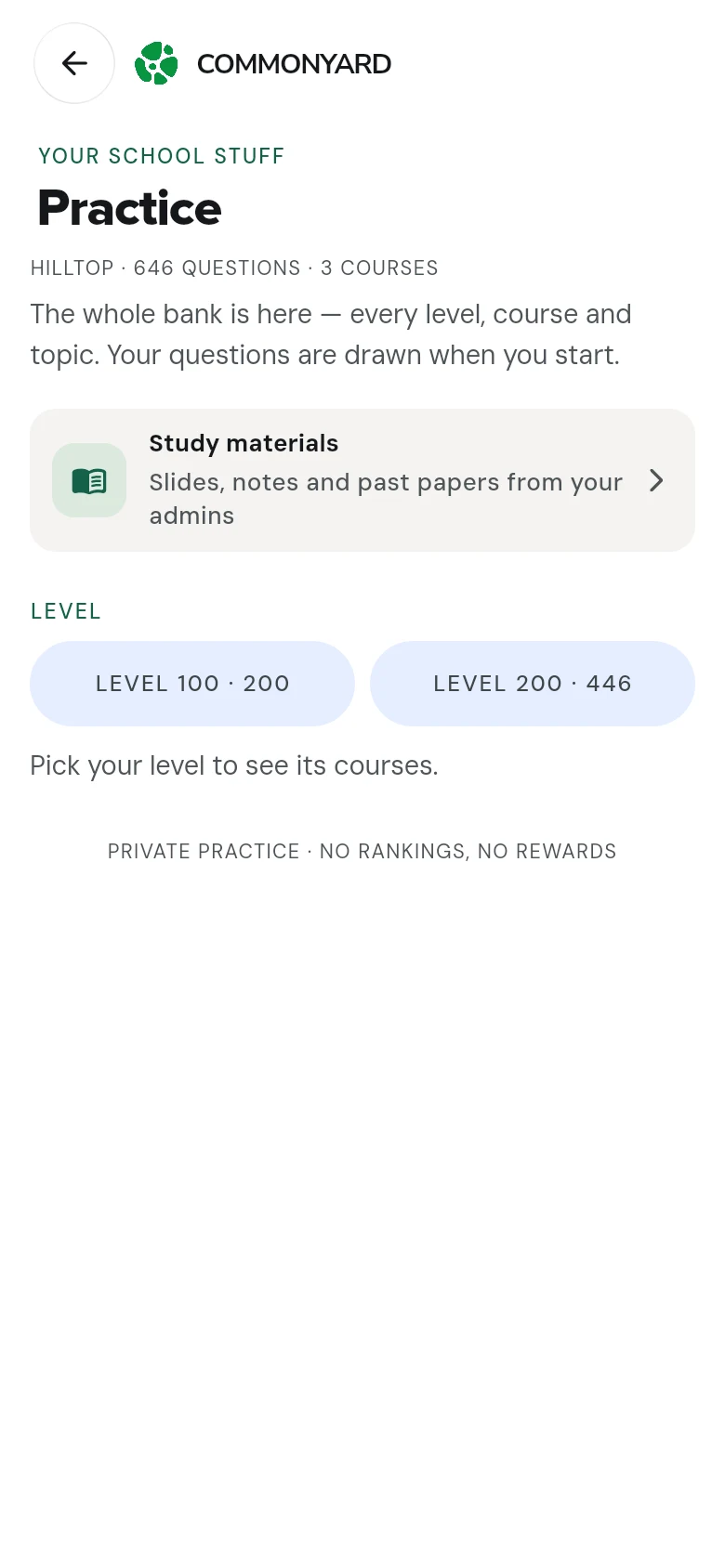
Study materials
Near the top of Practice, Study materials opens the yard’s shelf: slides, notes and past papers its admins put up. Tap a file to download it. See Share and download study materials.
Good to know
- Practice is private: no rankings and no rewards, and nothing is posted anywhere.
- The PRACTICE door is only on the bar inside a school yard.
- LAST TIME shows your last set, with Start again to try it once more.
- For University of Ghana courses, see the past questions by course.