
Guide · Yards
Chat in your yard
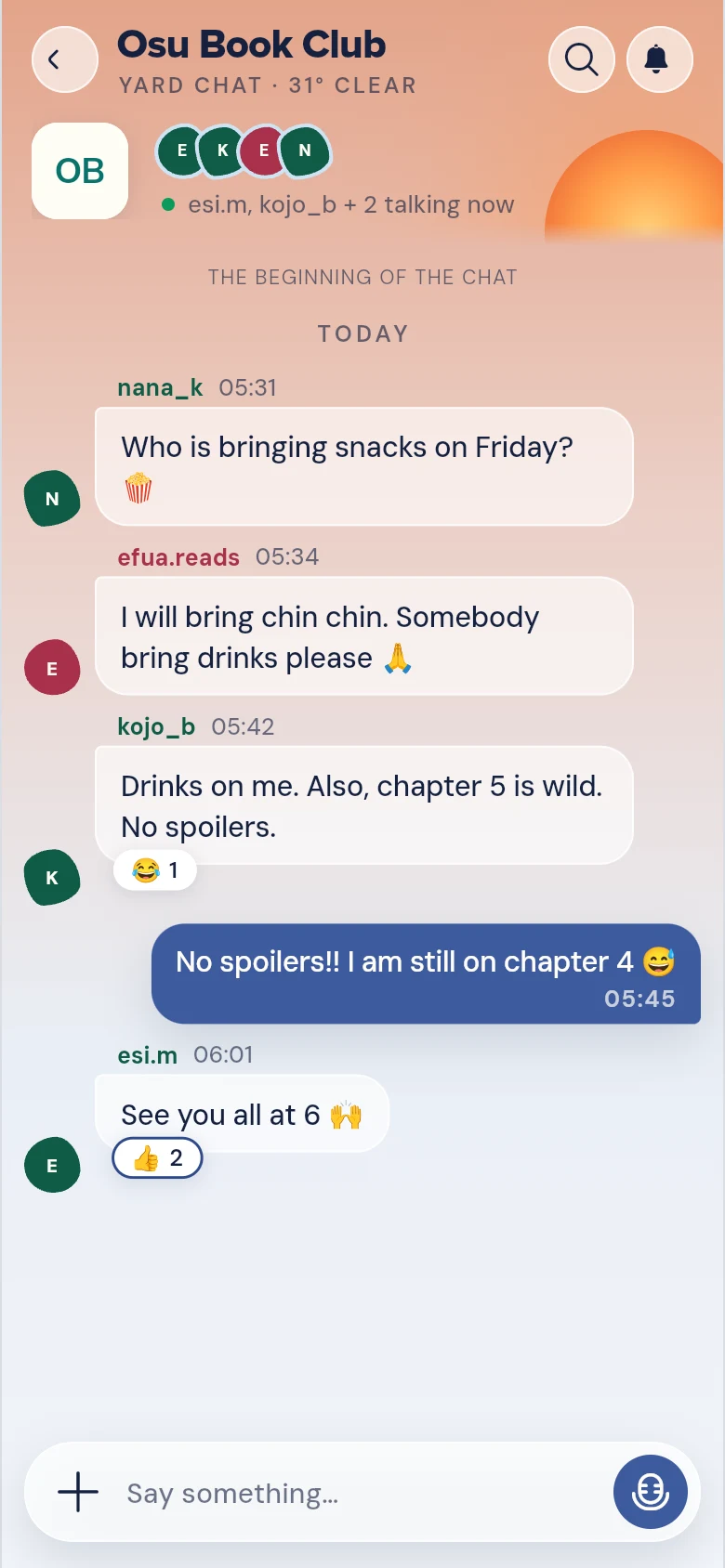
Every yard has a chat room. Tap CHAT on the bar to send words, photos, videos or voice notes, see who is typing and who has seen it, forward messages, mention people, and search what was said.
Steps
- Open the yard: tap it on the sky at the top of HOME.
- Tap CHAT — the speech bubble on the bar at the bottom. The bar reads HOME · CHAT · GAMES · YOU, and inside a yard HOME wears the yard’s own tile.
- Your chats open, with this yard’s chat at the top. Tap it to go in. (On the whole Yard, CHAT lists every yard you can talk in.)
- Write in Say something… and send it. Tap the microphone to record a voice note, or + for more: Share content, Start a game, Photos, Clip, GIF, Stickers, File and Poll.

The card at the top
Under the yard’s name, a card shows what’s going on: the yard’s game (ON STAGE, with Play or Join), its open POLL, and PINNED messages. Swipe it sideways, or tap a dot, to move between them. It folds into one thin line as you scroll down.
Also in the chat
- Photos lets you pick several photos and videos at once — up to 10. Each goes as its own message, and you can tap one to edit it first.
- A video in the chat shows a still picture and its length. Tap it to play.
- Stickers has your own My stickers too: import PNG or WebP pictures saved on your phone, including stickers from WhatsApp.
- Share content puts a post from the Yard into the chat, where people can take part right there.
- A CommonYard link to a game or a yard shows as a card, not a line of blue letters: a Guess the Number duel, a Ludo table, a night of Sasabonsam, a Troll War, a trivia Beat my score, a friend’s call on a poll, or a yard’s invitation. The card says who shared it and what it is, with one button to go in — like Take a seat, Join the war or Join the yard.
- Type @ and a name to mention someone; they get a notification. An owner or admin can write @everyone to reach the whole yard.
- Press and hold a message for its menu: react, Reply, Copy, Forward, Save, Report and more. People who run the yard also see Pin to the yard.
- Forward sends the message on to another of your chats. It arrives marked Forwarded.
- When someone is writing, a line under the messages says so, like Ama is typing.
- Under your newest message it says Sent, then Seen by and who has read it. Tap that line to see everyone who has seen it.
- Search this chat finds what was said, with dates to narrow it down.
Start a game
Tap + and then Start a game. Every game is there, in three groups:
- On your own: Trivia, Penalty Flick, Hot Potato, Rush, Last One Standing, Scramble, Case 500, Guess the Number, Fruit Catch and Ludo. Tap Play and it starts straight away. When you finish, you’re back on the list to play another.
- With this chat: a quiz, a round, a Troll War, a night of Sasabonsam or a Guess the Number duel. Tap Make and set it up, and its link goes into the chat for everyone here to join. It’s your own game on CommonYard, so no admin needs to allow it.
- For the yard: a game for everyone in the yard, on the yard’s own page, including Squad Trivia and a night of Sasabonsam. If you’re the yard’s owner or an admin, tap Host and it goes up at once. If you’re a member, tap Make and it’s sent to the yard’s admins first. It goes up when one of them allows it.
For more on setting a game up, see Make a game.
Good to know
- HOME inside a yard takes you back to the top of that yard, not out of it. To go back to the whole Yard, tap CommonYard on the sky.
- Messages from people you have blocked don’t show in your chat.
- Don’t want people to see when you have read their messages? Turn off Show when I have read at the bottom of your chats. It works both ways: you won’t see when they have read yours either.
- The yard’s owner or admins can mute the chat for announcements: the lock at the top of the chat, Who can send messages, then Only admins and mods. It is also under Chat in Manage yard. See Run your yard.
- For reporting and blocking, see Stay safe on CommonYard.