
Guide · Yards
Find and join a yard
Tap Explore over your yards on HOME, swipe through the open yards, look inside one before you join, then tap Join — or ask to join when a yard needs approval.
A yard is a community inside CommonYard: a school, a church or mosque, a family, a team, a group of friends. Each has its own posts, chat and events.
Steps
- On HOME, tap Explore, in the small row over YOUR YARDS. If you have swiped up to the posts, tap Your yards beside the yard’s name first.
- OPEN YARDS shows the yards you could join, one card each, the ones with the most going on first. Swipe sideways to move from card to card. Each card says how many members the yard has and how many are here now, and shows what is going on inside. To search for a yard by name, tap the magnifying glass at the top.
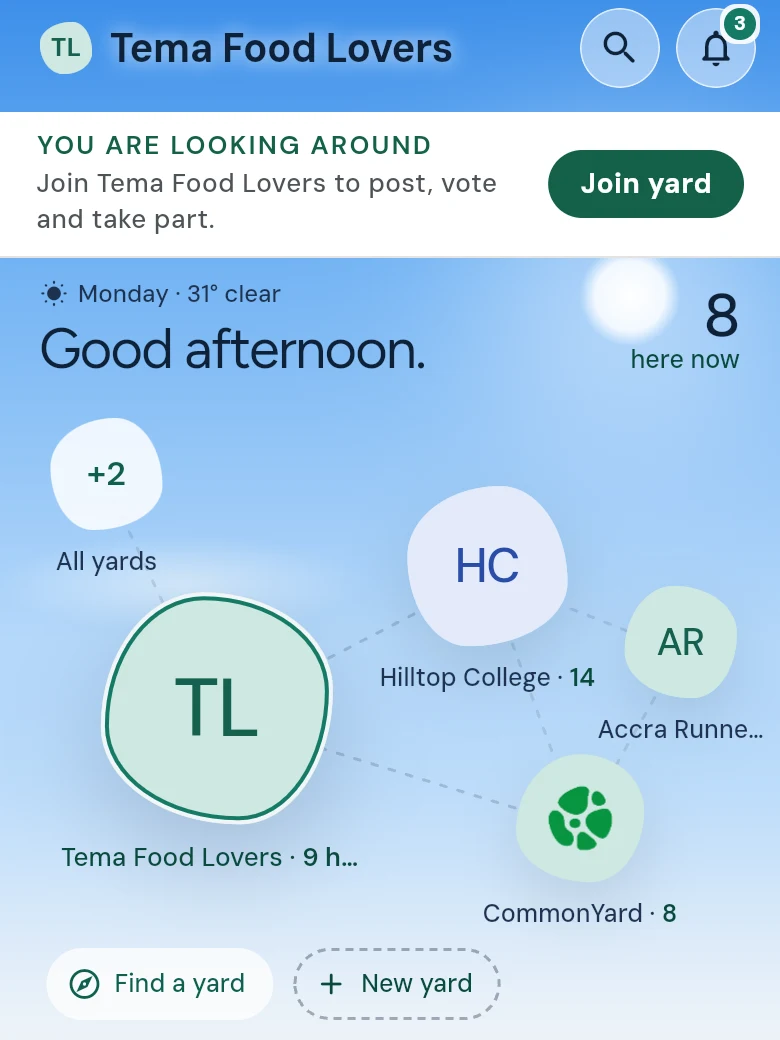
- Tap a card to look inside before you join: you can read the yard’s posts and chat. A banner says YOU ARE LOOKING AROUND.
- Tap Join on the card, or Join yard inside the yard. If a yard needs approval, the button says Ask to join: an owner or admin lets you in, and you get a notification when they do.
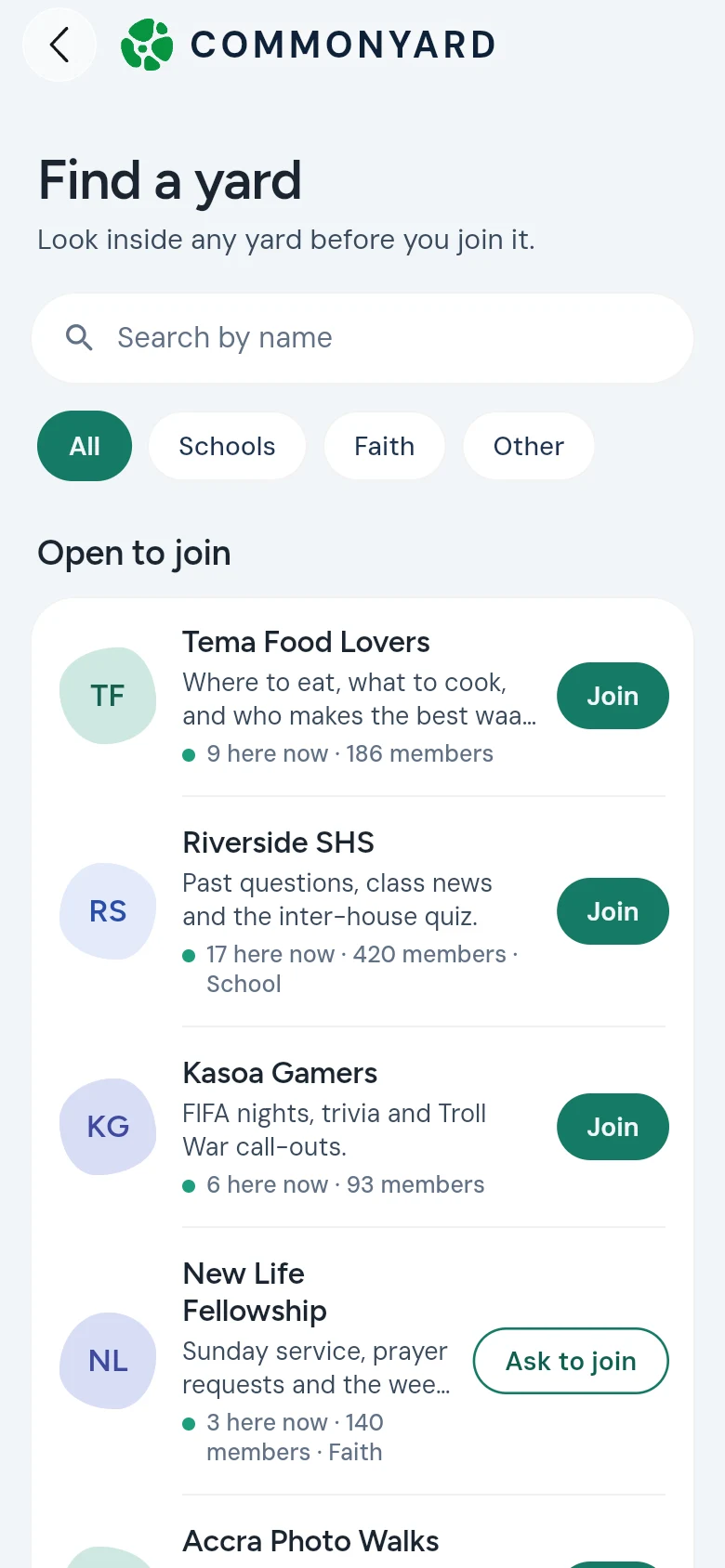
Small yards that have been quiet for more than two weeks are left out, but searching for a yard’s name still finds it. Yards for over-18s don’t show to members under 18.
The last card has Liveliest this week, the yards with the most going on, and Show more yards when there are more. Can’t find yours? The way to make one is on that last card too. See Make a yard.
Joining from a link
If a friend sends you a yard’s link, open it and you land in that yard, ready to join.
After you join
- The yard joins your yards on HOME straight away. Tap it to see that yard’s posts. For the whole Yard, tap CommonYard among your yards.
- CommonYard asks whether the yard can reach you with notifications. See Turn on notifications.
- If the yard has sub yards — a class, a club, a hall — they are listed near the top of the yard for you to join too.
- Joining a yard earns 10 points.
Leaving
Open the yard, tap its name at the top, and tap Leave yard at the bottom of its page. CommonYard asks once more: tap Leave, or Stay if you changed your mind.