
Guide · Posting
Post a series, and follow one
Post something in parts — a story, a weekly review, a diary — as a series. Followers can ask to be reminded a day and an hour before the next part lands.
A series is a run of posts in parts: part 1, part 2, part 3. Each part is an ordinary post — words, a poll, a picture — and the series keeps them together, in order, on a page of their own. People who follow it can ask to be reminded when the next part is due.
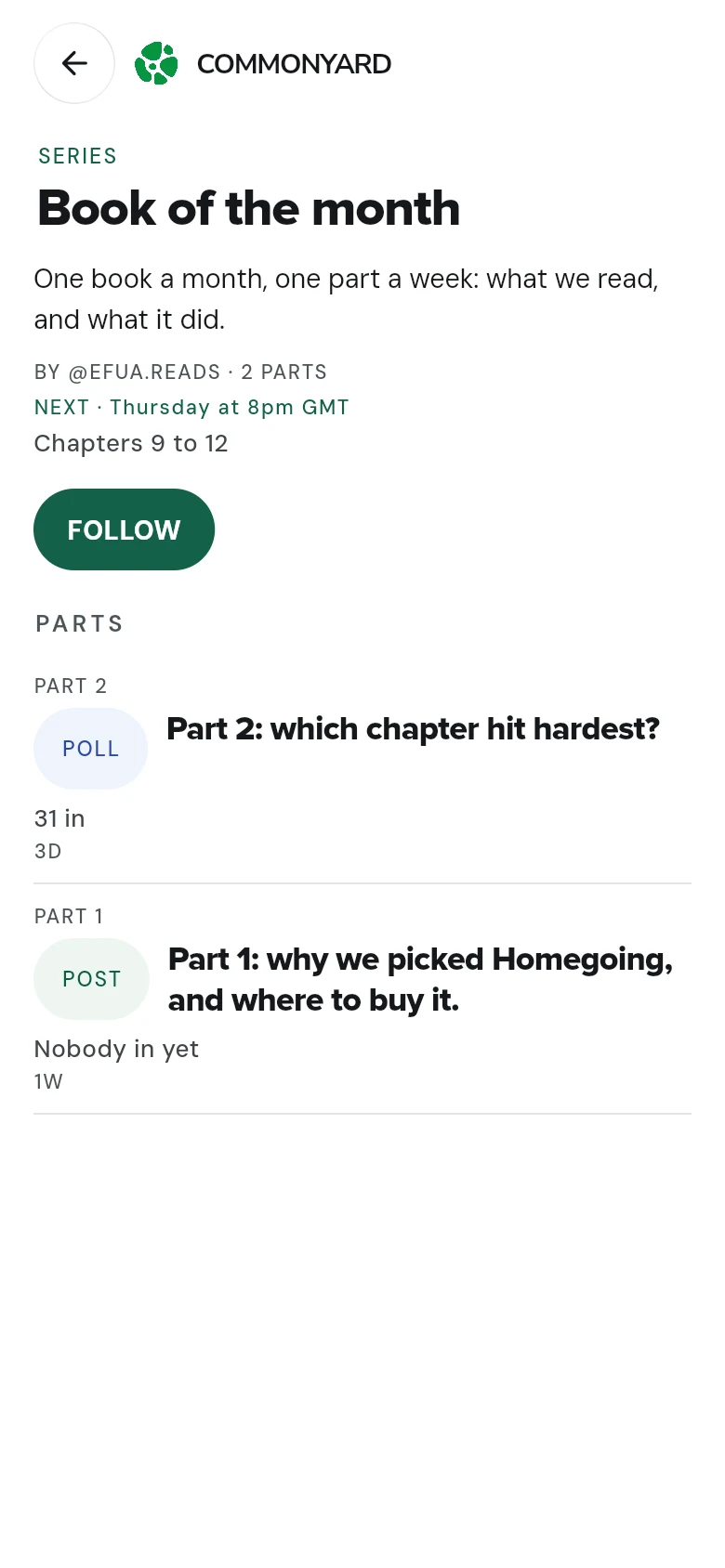
Start a series with a post
- Tap the round + and write the first part.
- Under PART OF A SERIES, tap Add it to one of yours, or start one.
- Tap Start a new series.
- Give the series a name, say what it’s about, and — if you know it — tap SET THE FIRST DATE. Tap START THE SERIES.
- You’re back on your post, which is now part 1. Tap Post.
Add the next part
- Tap + and write the next part.
- Under PART OF A SERIES, pick the series. It says which part this will be — Part 3 of Book of the month, for example.
- Tap Post. It joins the series as soon as it’s up.
Or open the series' page and tap ADD PART — then Write part 3 to write it now, or pick a post of yours that’s already up.
Add a post that’s already up
Open the post’s three dots (•••) and tap Add to a series. Pick one of your series — it goes in as the next part — or start a new one with it.
Set when the next part lands
On the series' page, tap SET THE NEXT DATE, pick the day and the time, and add a line on what’s coming if you like. Followers who asked are reminded. CHANGE THE DATE and CANCEL THE DATE are there once it’s set.
Follow a series
- Open the series: tap its maker’s name on one of the parts, and find it under SERIES on their page — or open a link someone shared.
- Tap FOLLOW.
- Switch on Remind me to hear about the next part a day before and an hour before it lands.
Tap FOLLOWING to stop following.
Good to know
- Your series are in What you made, where you can also start a new one with Start a series. See What you made.
- A series' first date is optional.