
Guide · Posting
Make a post
Tap +, write what you want to say, add a picture or a video if you like, ask people to do something if you want, and post.
Everything you post starts on one page: your words first, pictures or a video if you want them, and — only if you want it — something for people to do.
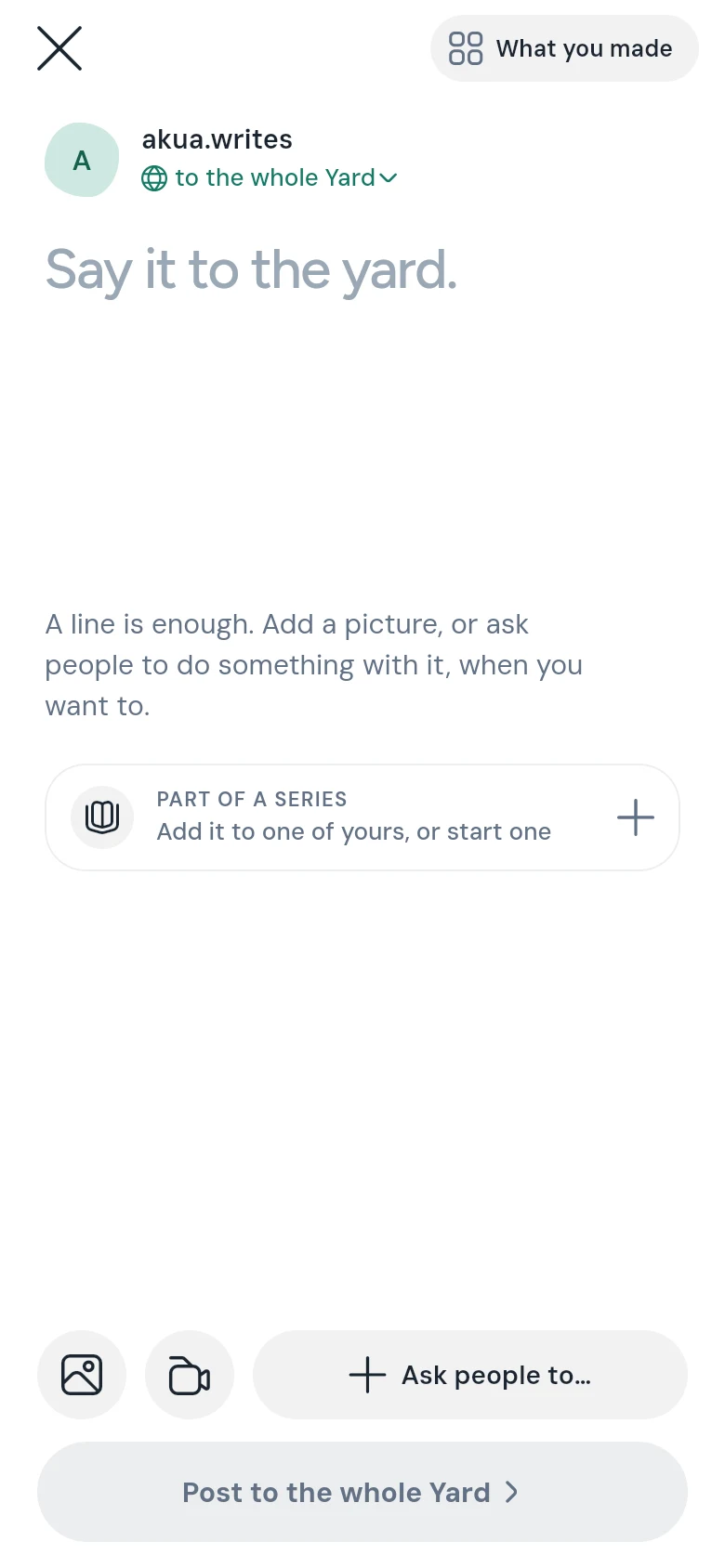
Steps
- Tap the round + at the bottom of the screen, beside the bar.
- Write what you want to say where it says Say it to the yard. A line is enough.
- To add a picture or a video, tap the picture or video button. An editor opens where you can crop, add a filter, words, stickers or a drawing. Tap Done — use it when you’re happy. A picture you added has an edit button if you want to change it again.
- If you want people to do something, tap Ask people to… and pick one: Vote, Weigh in, Sign, Reply, Swipe or Troll. For a game, tap Or start a game for the yard under them. Most posts don’t need any of this.
- Check where it goes, under your name — to the whole Yard, for example. Tap it to change, and tick every place it should go. See Post to several yards at once.
- Tap the big button at the bottom. It says where your post goes: Post to the whole Yard, or Post to and your yard’s name.
The screen closes as soon as you post; your post goes up on its own while you carry on.
What each choice does
- Vote — a poll. See Make a poll.
- Weigh in — a hot take, a confession, a question, a prediction and more, that people take sides on — under your name, or anonymously. See Weigh in.
- Swipe — a swipey, where people judge each picture left or right. See Swipe through a swipey.
- Sign — a petition. See Start a petition.
- Reply — a discussion: everyone answers in one thread.
- Troll — put yourself, or a school, a team or a business everybody knows, up for a friendly roast. See Start a troll.
- Or start a game for the yard — a game with a clock. See Make a game.
Two or more pictures
A post shows one picture. If you add more, CommonYard asks: KEEP ONE keeps the first, and SWIPE THEM turns the post into a swipey.
Part of a series
Posting something in parts — a story, a weekly review, a diary? Under PART OF A SERIES, add the post to one of your series, or start one. See Post a series.
Good to know
- A post earns 20 points.
- Your draft saves itself as you write.
- If a post can’t go out — no connection, for example — it is kept as a draft, and HOME offers it back to you.
- A post made in a yard stays in that yard. It can’t be moved later.
- The square button beside the close button opens What you made, where you can edit or delete anything you posted. See What you made.