Guide · Posting
Post to several yards at once
Tick every yard a post should go to — and the whole Yard if you like. It's one post, seen in each of them.
Updated
A post can go to the whole Yard, to one of your yards, or to several of them at once.
Steps
- Tap the round + and write your post as usual.
- Tap where it goes, at the top of the screen. It says The whole Yard until you change it.
- Under Where does it go?, tick every place it should go to: The whole Yard, and any of your yards.
- Tap Done. The button says how many places you picked.
- Tap Post.
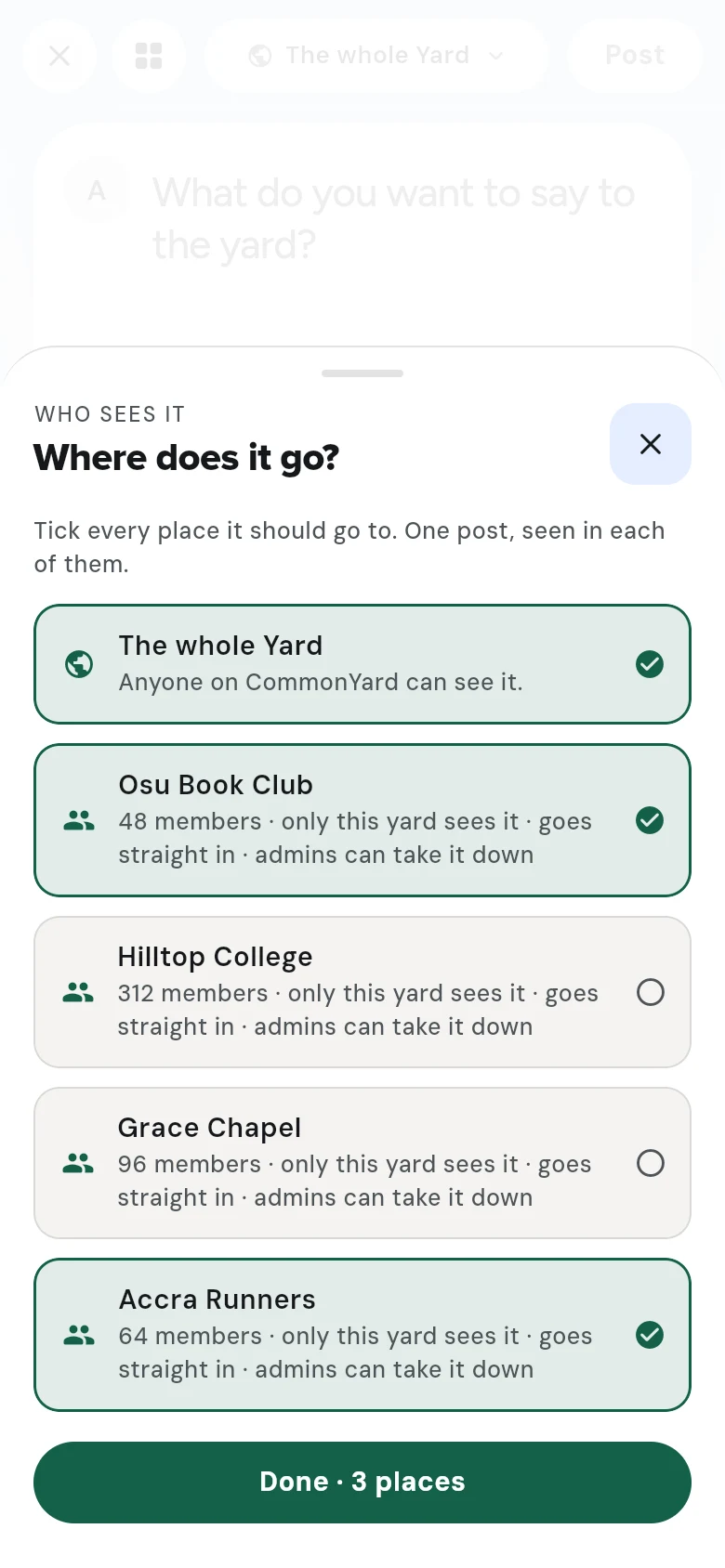 Tick as many places as you like.
Good to know
- It’s one post, not copies: the votes, signatures and replies are the same in every yard it’s in.
- The whole Yard can be seen by anyone on CommonYard. A yard sees only what is posted to it.
- You can only post to yards you are in. If the sheet says Join a yard and it can go there too, see Find and join a yard.
- Where a post goes can’t be changed afterwards.
More on posting
Make a post
Tap +, write what you want to say, add a picture or a video if you like, ask people to do something if you want, and post.
Make a poll
Ask a question with two to four choices, in words or pictures, and choose when the poll closes.
Weigh in — hot takes, confessions, predictions and more
Post something people take a side on, in one of seven forms — hot take, confession, question, pick a side, prediction, story time or debate — under your name or anonymously.
Post anonymously
Post an opinion — a confession, a hot take, a question — without your name. Other people see Anonymous and a mask; you still see it's yours, and still hear about replies.
Start a petition
Write what should change, say who has to act, pick how many names you're aiming for, and let people sign by pressing and holding.
Start a troll
Put yourself — or a school, a team, a business or an event everybody knows — up for a friendly roast. You set what's off limits, the heat, how many shots each person gets and how long it stays open.
Post a series, and follow one
Post something in parts — a story, a weekly review, a diary — as a series. Followers can ask to be reminded a day and an hour before the next part lands.
Edit or take down your post
Change the words of your post, or take it down, from its three-dot menu or from What you made. Here's what can and can't be changed.
What you made — edit or delete anything you posted
One page holds everything you made — posts, polls, petitions, opinions, swipeys, games and series — with Edit and Delete on each, and the controls for your games.
All guides →
