
Guide · Posting
Weigh in — hot takes, confessions, predictions and more
Post something people take a side on, in one of seven forms — hot take, confession, question, pick a side, prediction, story time or debate — under your name or anonymously.
Weigh in is for anything people should take a side on. Pick its form, then add up to three sides for people to choose from — or none, and people just reply.
Steps
- Tap the round + at the bottom of the screen.
- Tap Ask people to…, then Weigh in.
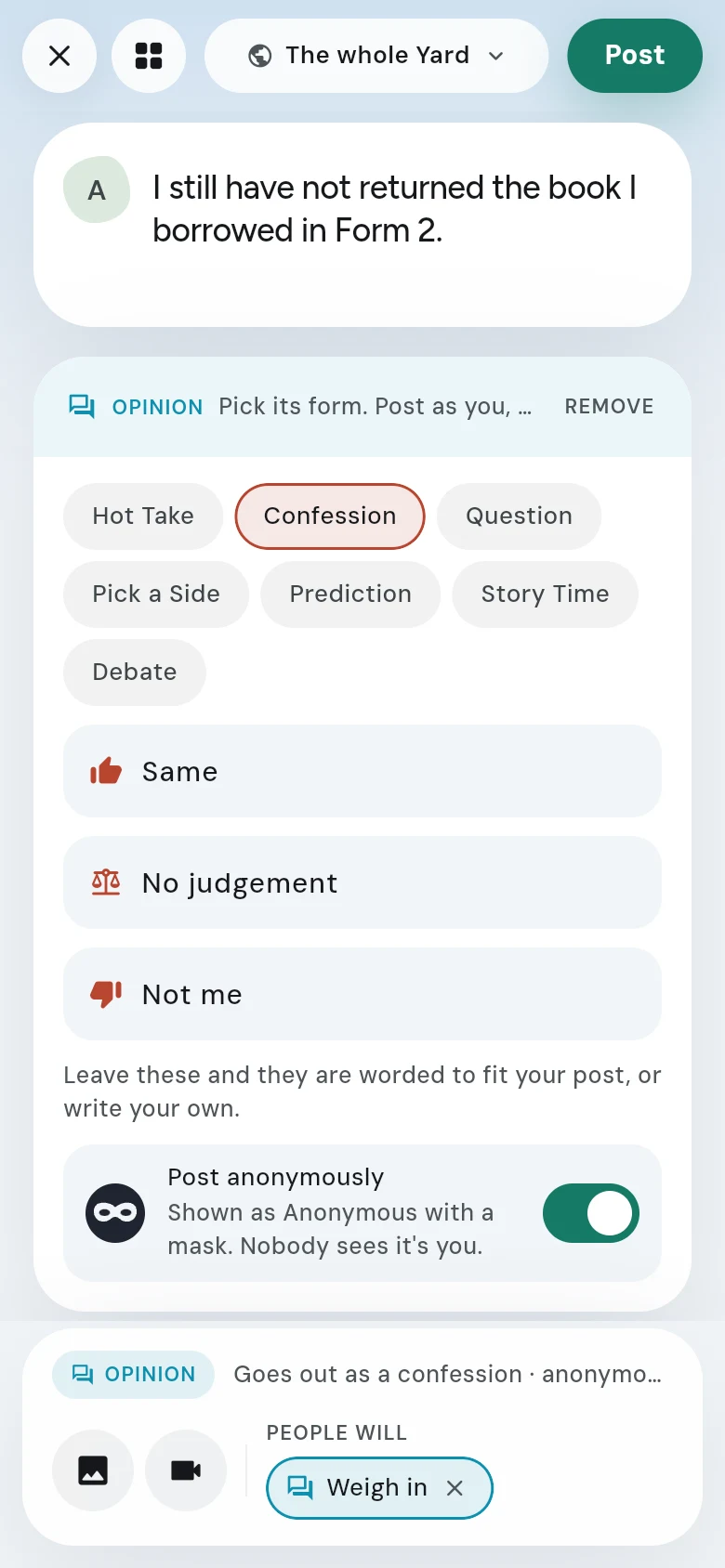
- Pick its form. The box tells you what to write.
- Write it.
- Add sides if you want them. Tap a suggested one — + Agree, for example — or tap + Your own and name it. You can add up to three. With none, people just reply.
- To post without your name, switch on Post anonymously. See Post anonymously.
- Check the line at the bottom — “Goes out as a confession · Same / No judgement / Not me”, for example — then tap the Post to… button. It names where the post goes — Post to Home, for example.
The seven forms
- Hot Take — the take people will argue with. Suggested sides: Agree · Not sure · Disagree.
- Confession — what you want off your chest. Suggested sides: Same · No judgement · Not me.
- Question — a question for the yard. Suggested sides: Yes · Maybe · No.
- Pick a Side — the two sides people choose between. Suggested sides: With it · On the fence · Against it.
- Prediction — what you think will happen. Suggested sides: Will happen · Not sure · Won’t happen.
- Story Time — the story. Suggested sides: Believe it · Hmm · No way.
- Debate — the motion. Suggested sides: For · Undecided · Against.
The card shows the form at the top, so people know what they’re answering.
Good to know
- Change the form and the suggested sides you added change with it. Sides in your own words stay.
- Taking a side is one tap. See Take a side.
- After you post, you can change the words, but not the sides: people may have picked one already.